Getting your product link verified by the Adreach team is a crucial step before going live on TikTok. Our team reviews your link to ensure it fully complies with TikTok’s policies, protecting your account from the risk of suspension and keeping your campaigns running without interruption.
How to Verify Your Product Link?
Overview
Verifying your product link is an essential step for ensuring that your ad campaigns run smoothly on TikTok through Adreach. It ensures that the products you’re promoting are compliant with TikTok’s advertising policies and avoids any potential disruptions to your campaigns.
Importance of Product Link Verification
Policy Compliance: Verifying your product link ensures that your products adhere to TikTok’s advertising policies, preventing ad disapproval or account suspension.
Trust and Security: By verifying the product link, you show that your products are authentic and that you follow the platform's rules, building trust with both TikTok and your audience.
Avoid Violations: Ensuring your product complies with TikTok’s policies helps you avoid unnecessary policy violations, which can affect the performance of your ads and your account standing.
This guide will walk you through the entire process, step-by-step.
Step 1: Log into Your Adreach Account
Log in to your Adreach account via your registered credentials
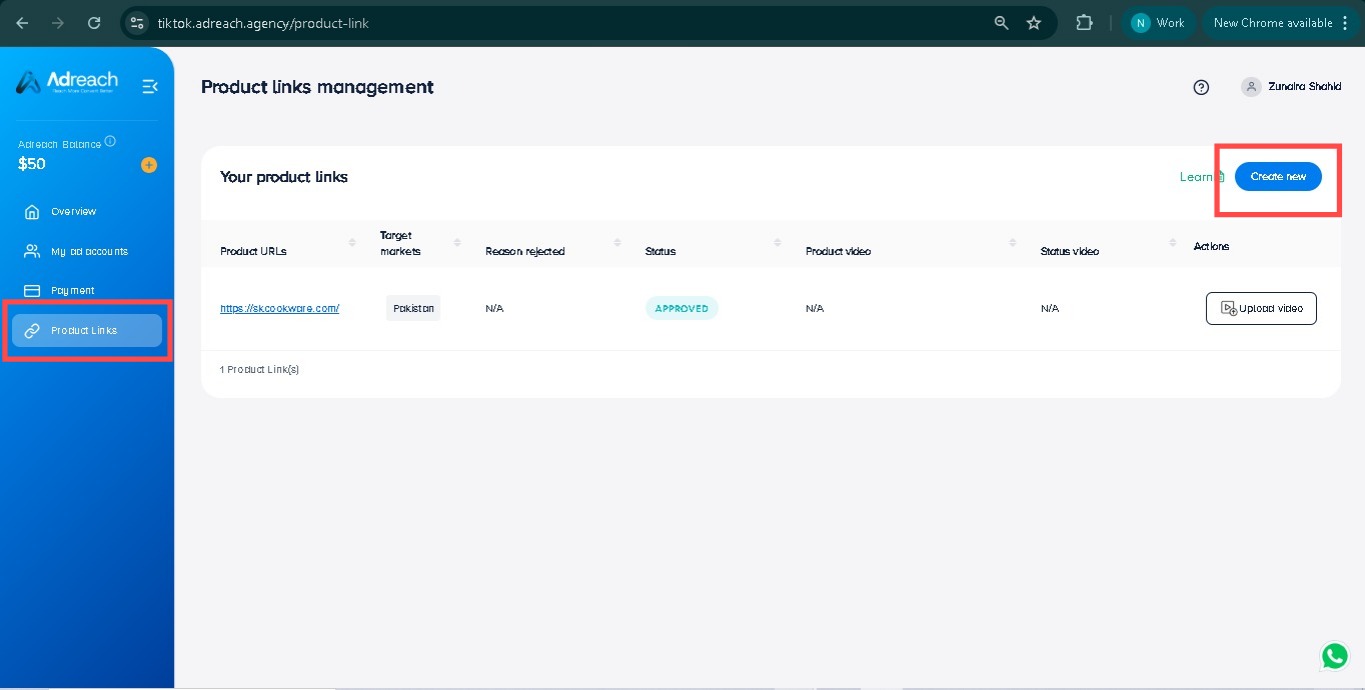
Navigate to the "Product Links" tab from the side menu.
Then click on "Create New" to begin adding a new product link.
Paste Your Product Link
Copy the URL of the product you wish to promote.
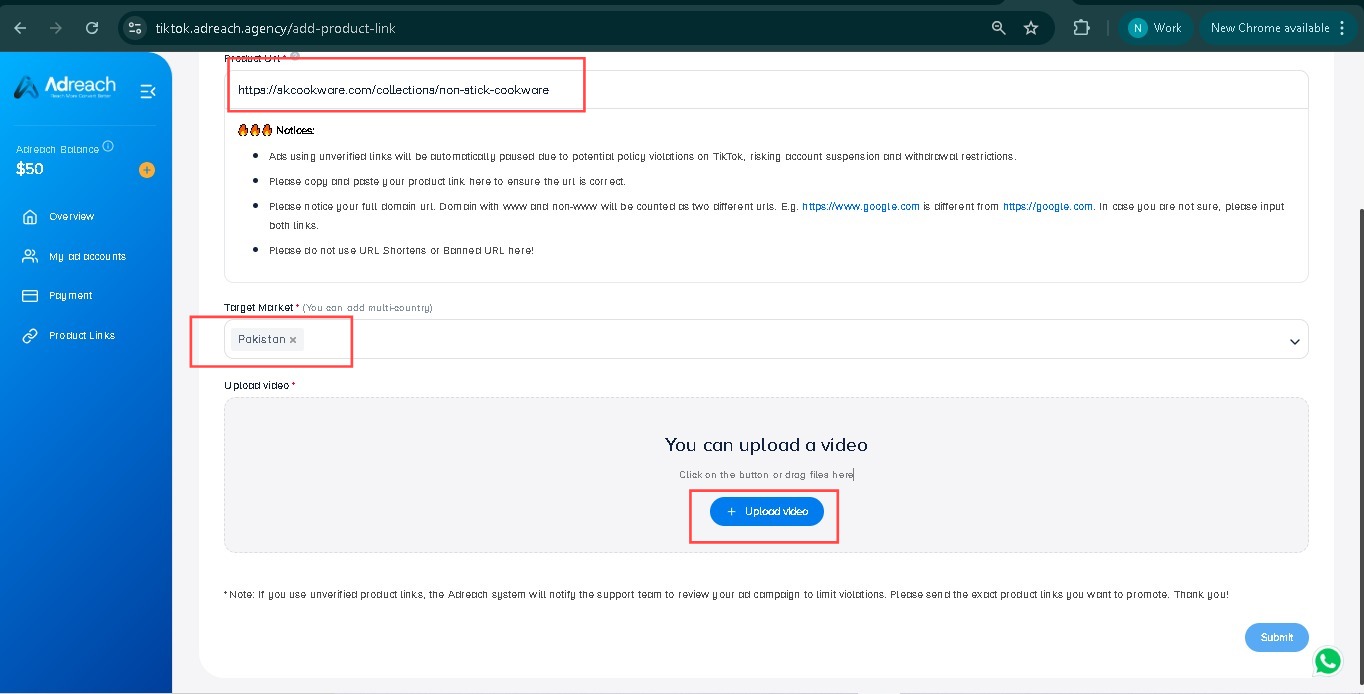
Paste the exact product link into the Product URL field.
Ensure that the link is correct and not shortened, as TikTok requires the full URL.
Upload Your Creatives
After pasting the product link, you will need to upload the creative (the product image or video) for review.
Click the "Upload Video" button to attach your product video or image.
Once uploaded, click "Submit" to submit your product link and creative for review.
Wait for Review
After clicking "Submit", your product link and creative will be sent for review to the verification team.
You will receive a response from the team within working hours.
Approval Status
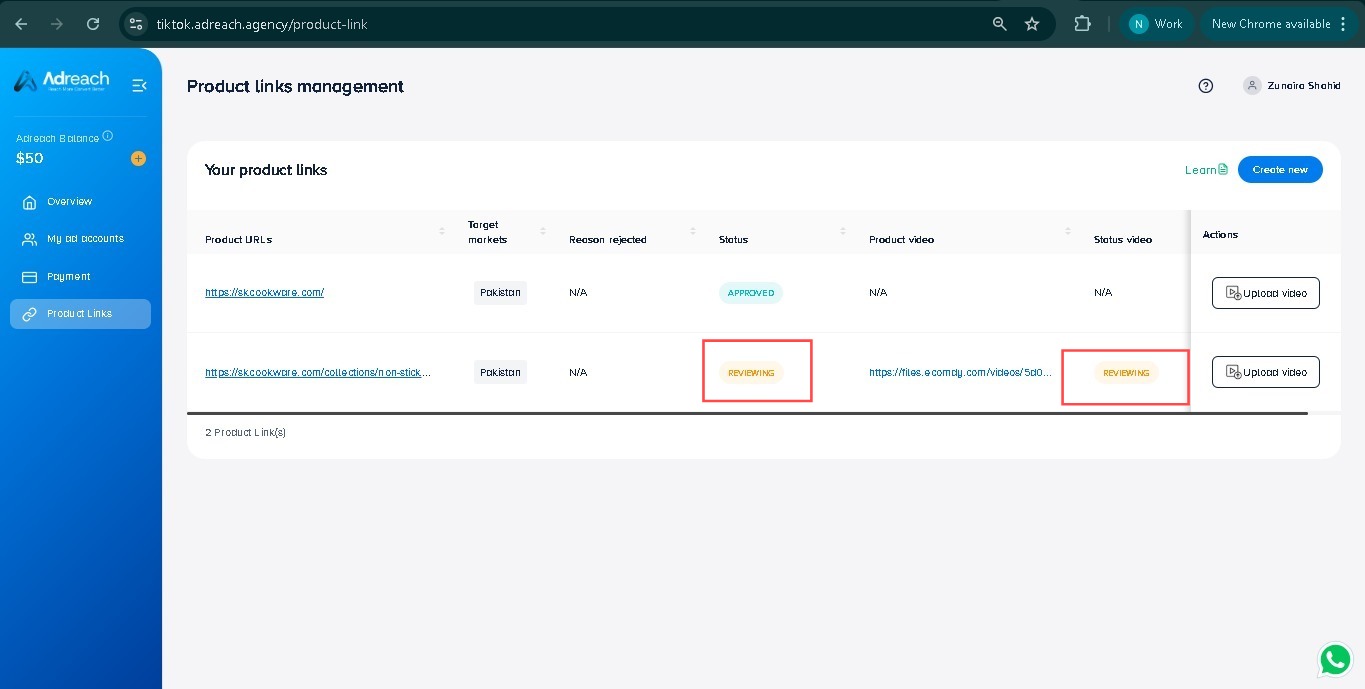
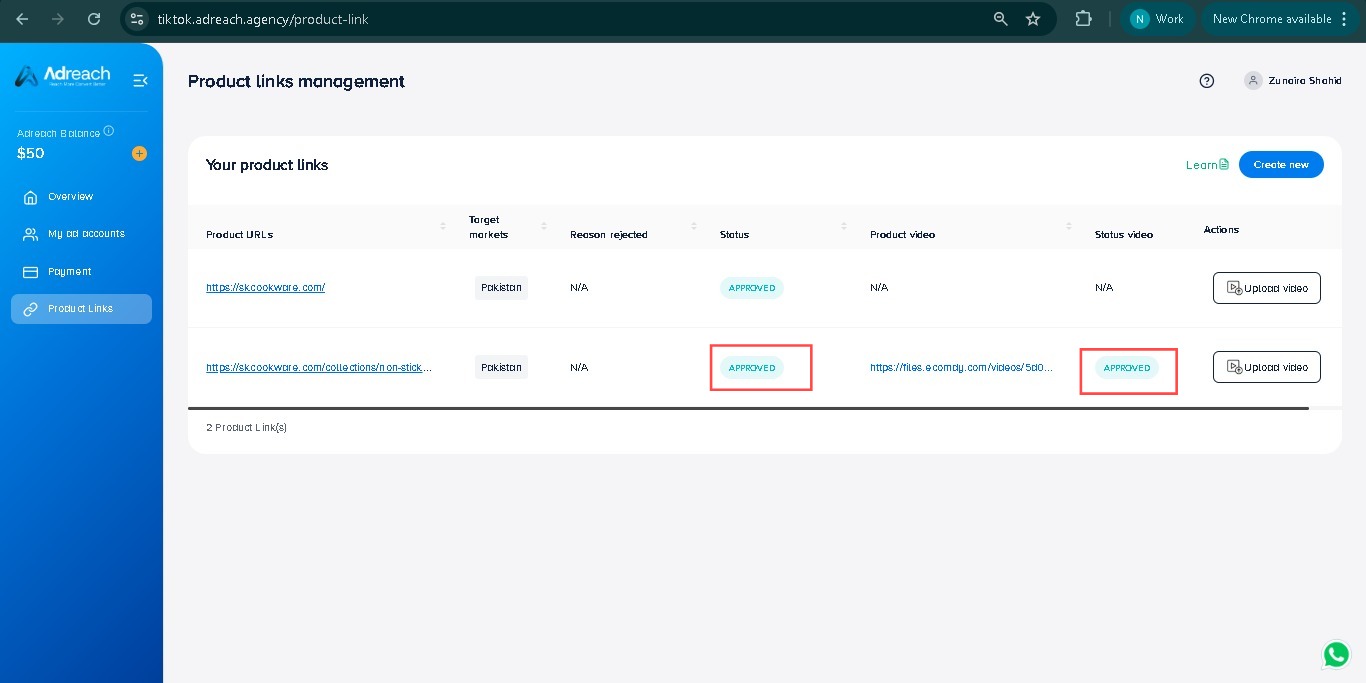
After your product link and creative are reviewed, once approved, the status of your product link will show as approved in the Product Links Management section.
You will be able to see the status marked as "APPROVED" next to the product link on your dashboard.
Important Notes:
Rejected Creatives
If your creative is rejected, update it according to the rejection reason provided by the verification team. Once updated, re-submit the creative for approval.
Do Not Re-upload Rejected Links
Please do not upload the same product link again if it is rejected. If you re-upload a rejected link, it will not be accepted because the system recognizes it as an existing rejected link. Instead, reach out to the support team for further guidance on how to proceed.

 +92-337-2499502