Managing your funds on Adreach is simple and flexible. You can easily transfer money between your Adreach wallet and ad accounts, or withdraw balances back to your wallet, all in just a few steps.
Overview
The Money Allocation feature allows you to control how funds move within your Adreach account. Use it to top up your ad account when you’re ready to run campaigns, or pull back unused balances to your wallet at any time.
How To Transfer Money from Adreach Wallet to Your Ad Account?
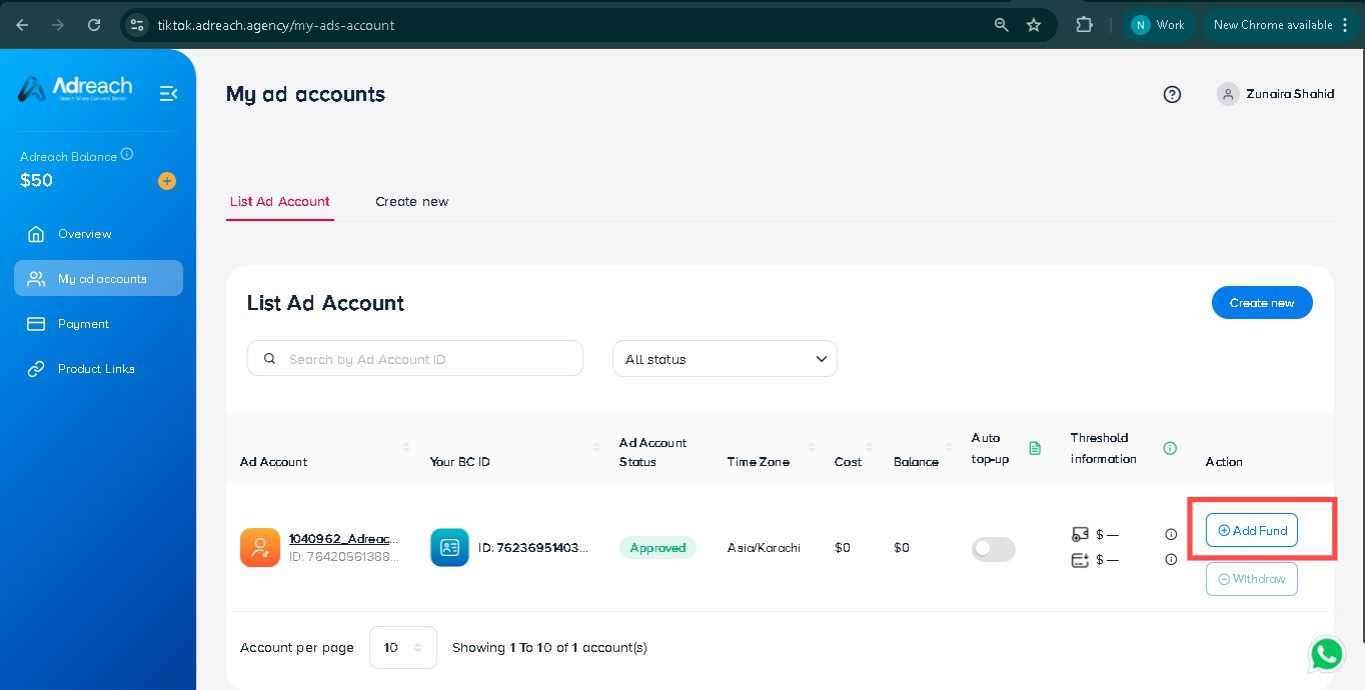
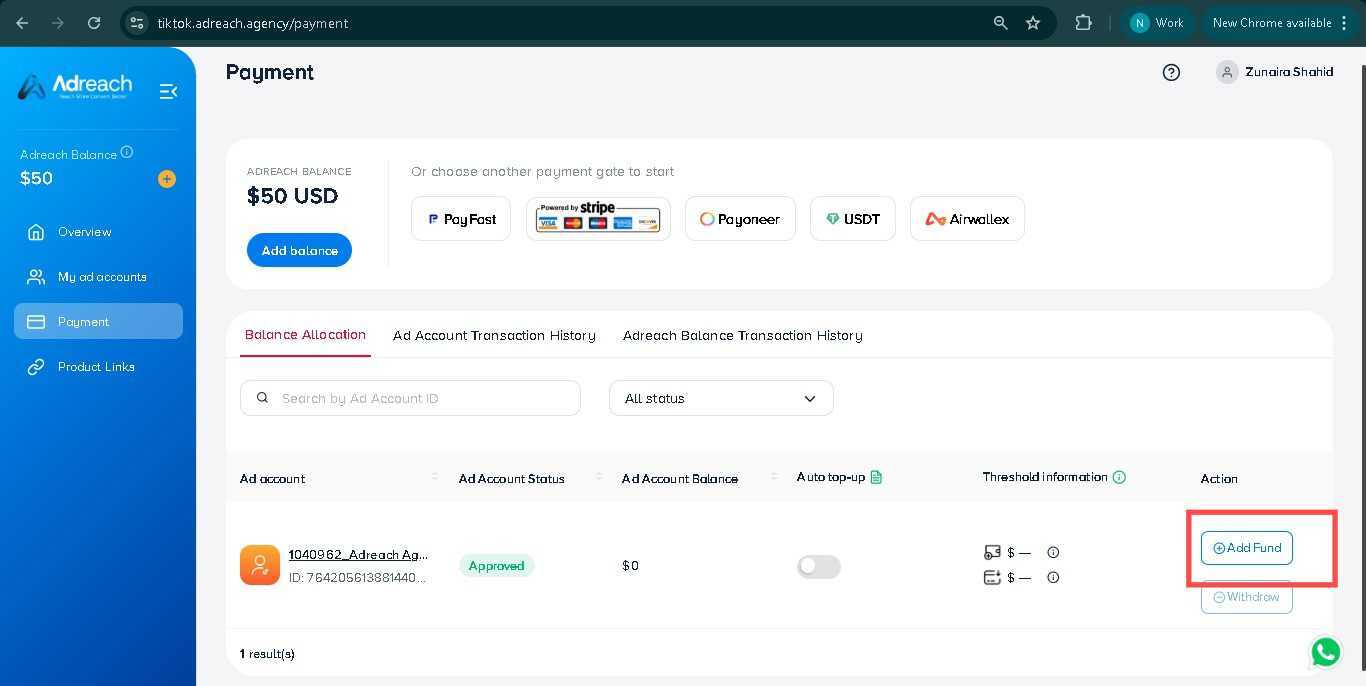
Go to the My Ads Accounts tab and click Add Fund, or navigate to the Payment tab and click Add Fund.
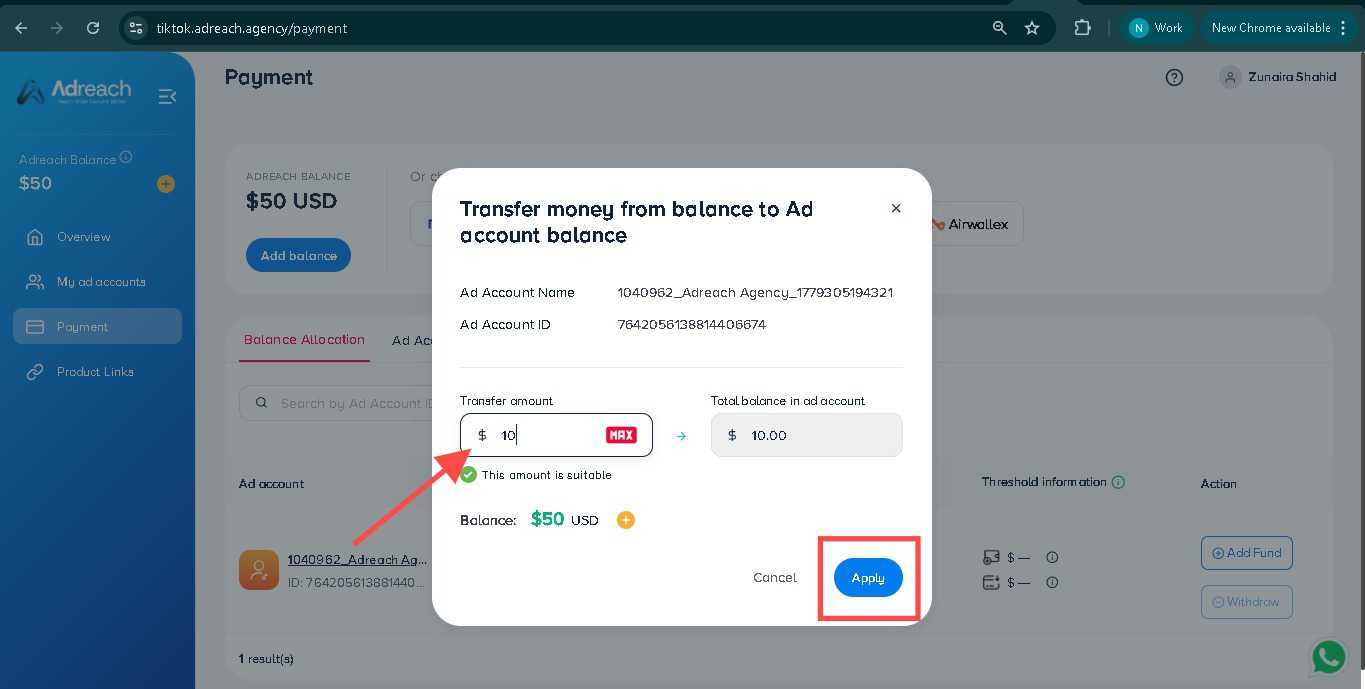
Enter the desired transfer amount (minimum addition is $10). Then, click “apply.”
The balance will be reflected in your ad account.
How To Withdraw Money from Ad Account to Adreach Wallet?
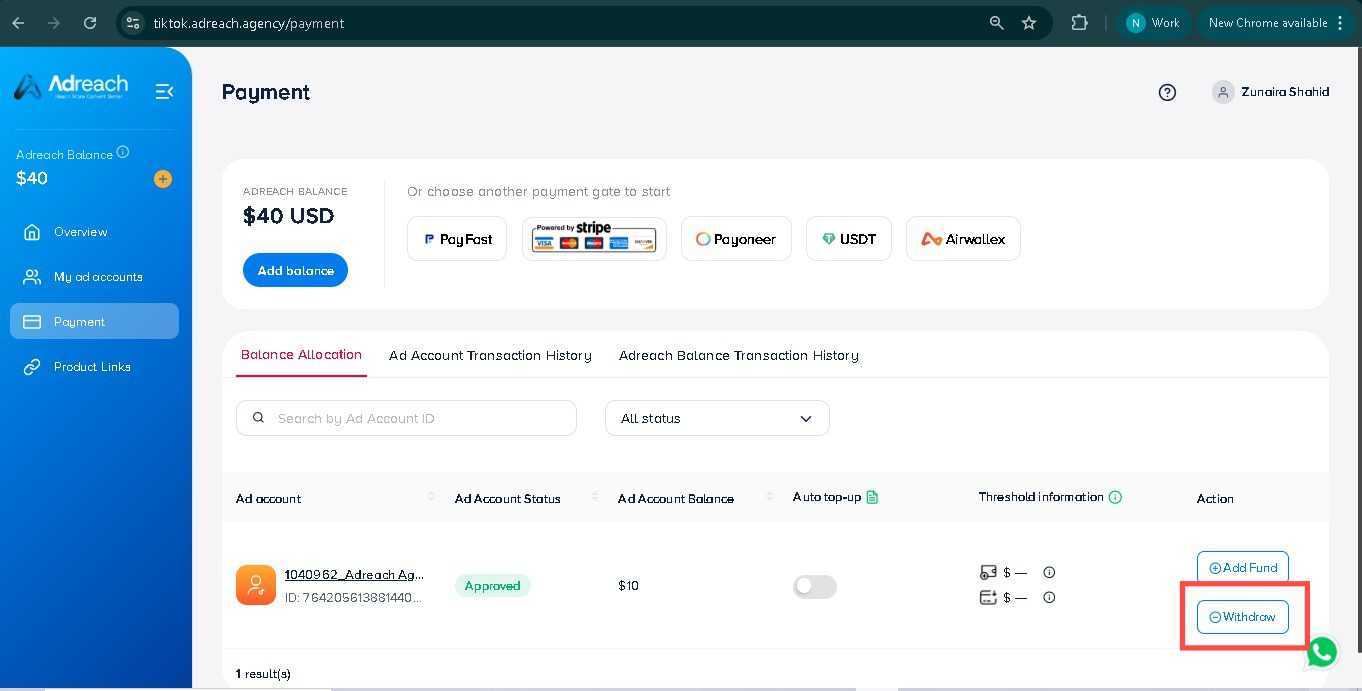
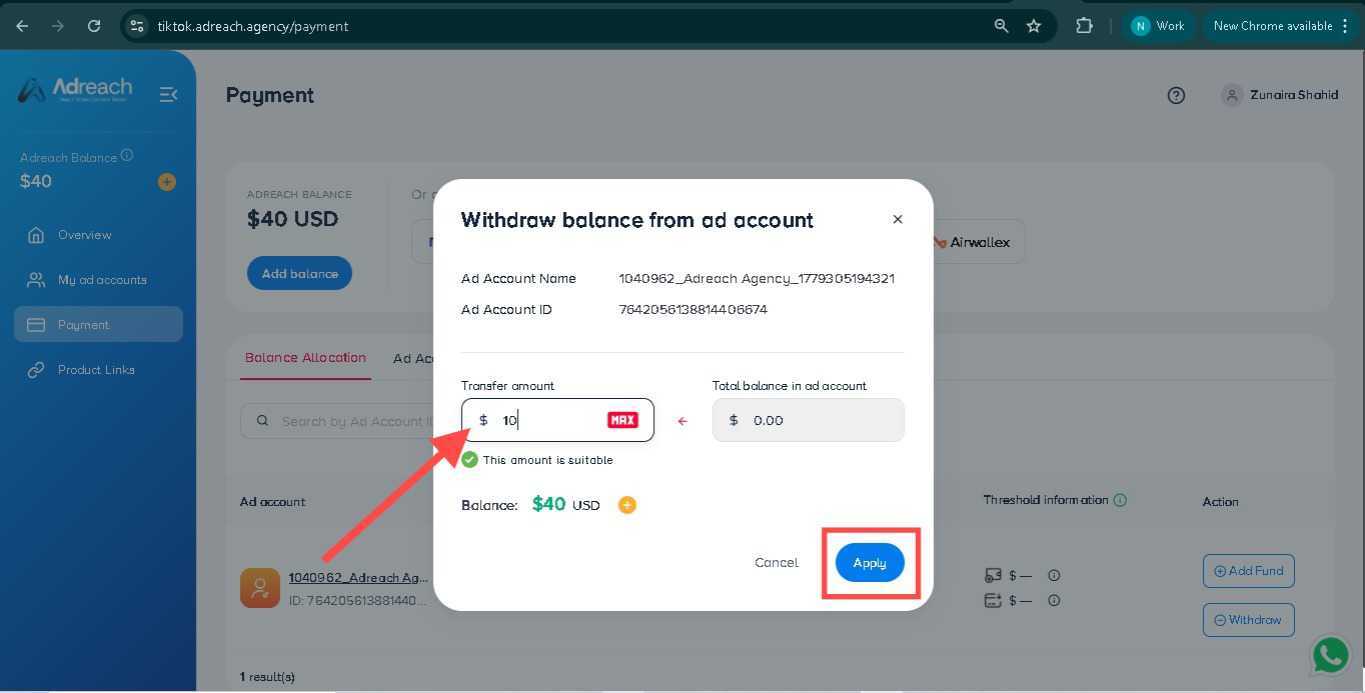
Go to the My Ads Accounts tab, select the ad account you wish to withdraw from, and click Withdraw — or navigate to the Payment tab and click Withdraw.
Enter the withdrawal amount and click Apply.
The balance will be returned to your Adreach wallet.
For any assistance, reach out to us via Live Chat — we’re happy to help!


 +92-337-2499502