Create your TikTok Ad Account with Adreach Agency and start promoting your brand to millions of active users. Our team helps you set up, manage, and optimize your TikTok ads for maximum reach and engagement.
Overview
A TikTok Agency Ad Account allows you to manage multiple campaigns and products efficiently, ensuring smooth operations. Adreach offers the benefit of multiple ad accounts, structured by your spending tiers, all managed under a single agency account. This structure allows you to link several stores and concurrently execute compliant campaigns for various product types that adhere to TikTok’s policies.
Once you complete the sign-up, verification, and funding steps, you’ll be ready to create and manage your TikTok Ad Account. This guide will walk you through the entire process, step-by-step.
Step 1: Create Your Business Account
Access Your Business Account
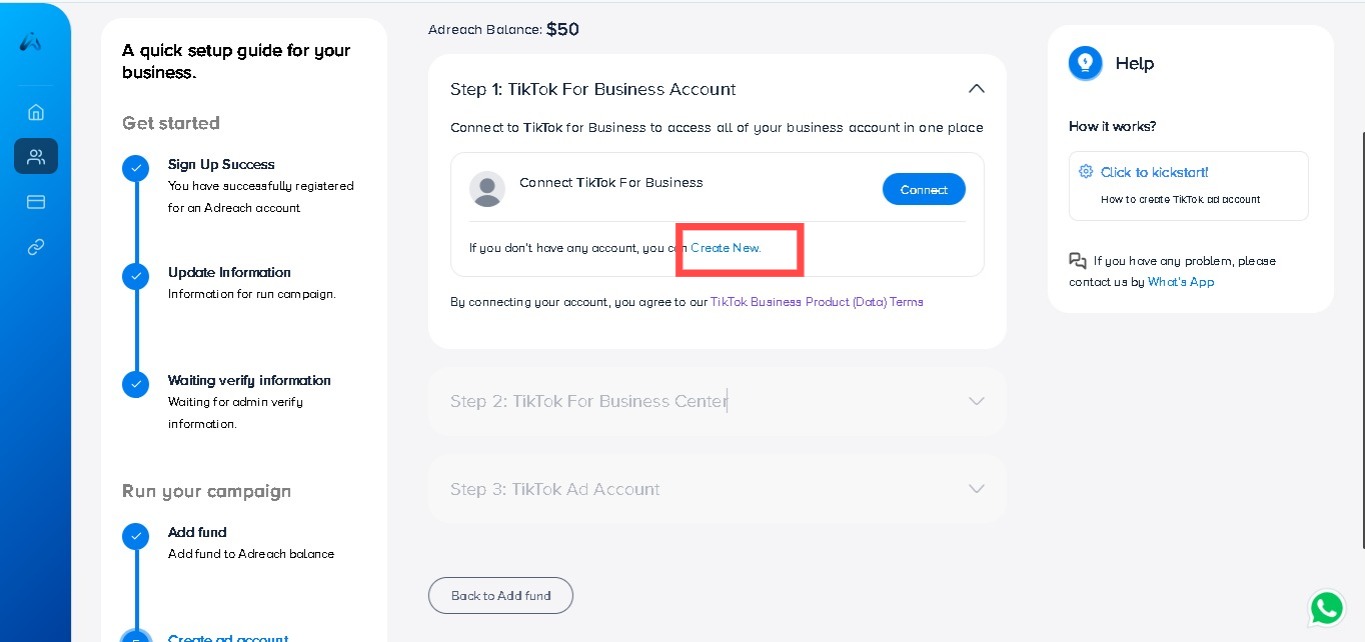
To begin, click on “Create New” TikTok For Business Account on the Adreach dashboard.
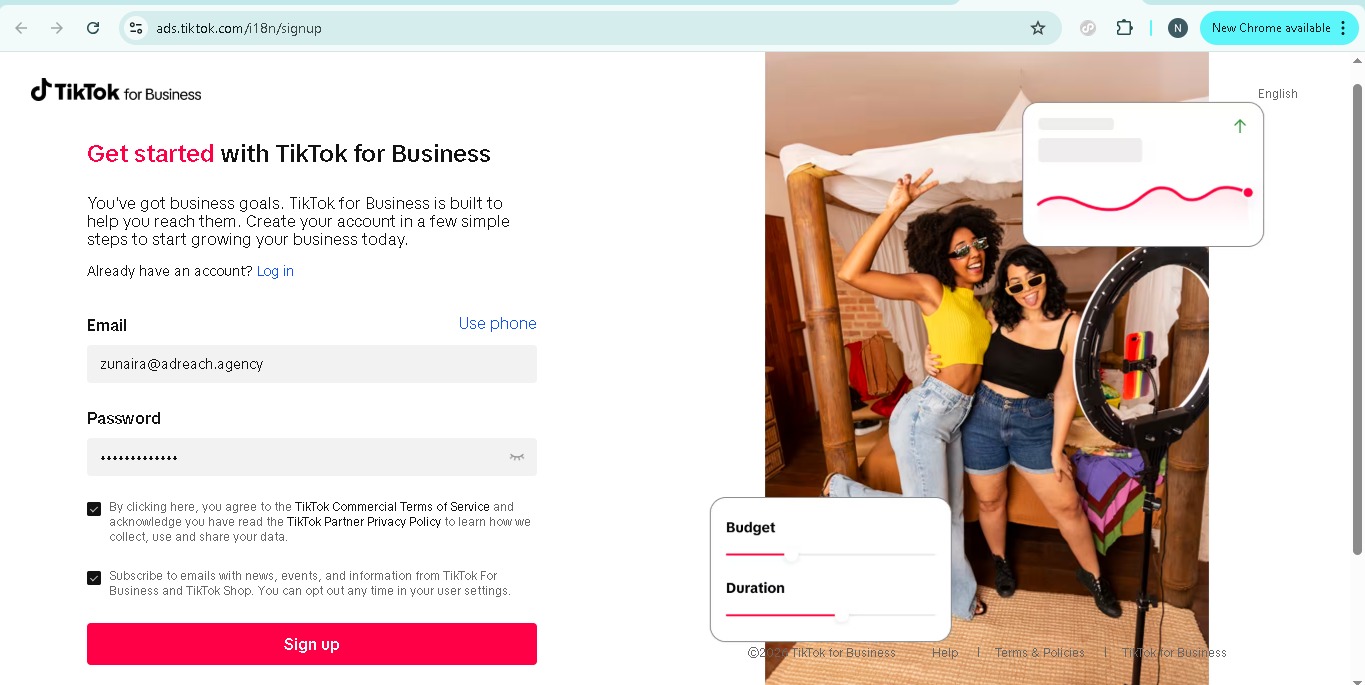
Enter Your Email Address
Use the email address associated with Adreach (or a different email address if you prefer, although using the same one simplifies the login process).
Set up your password, agree to the terms and conditions, and click “Sign Up”
Email Verification
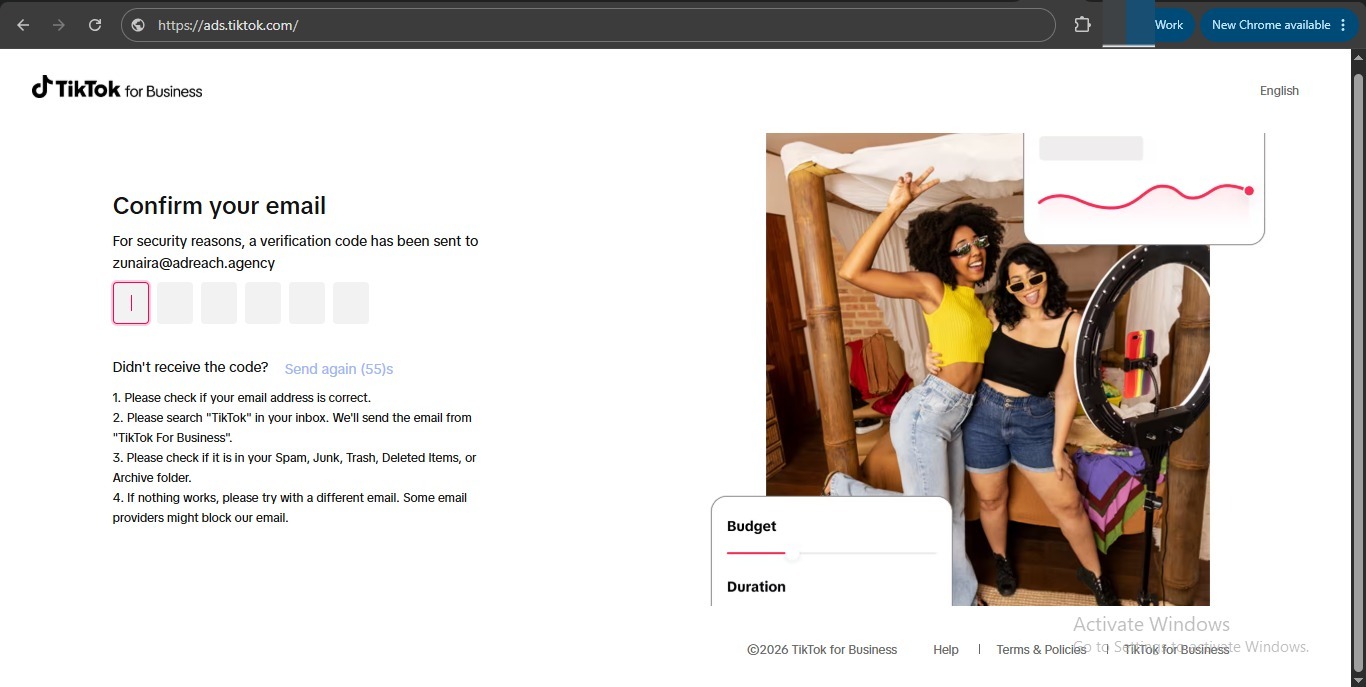
After clicking “Sign Up”, check your email for a 6-digit verification code.
Enter the code in the provided field to continue.
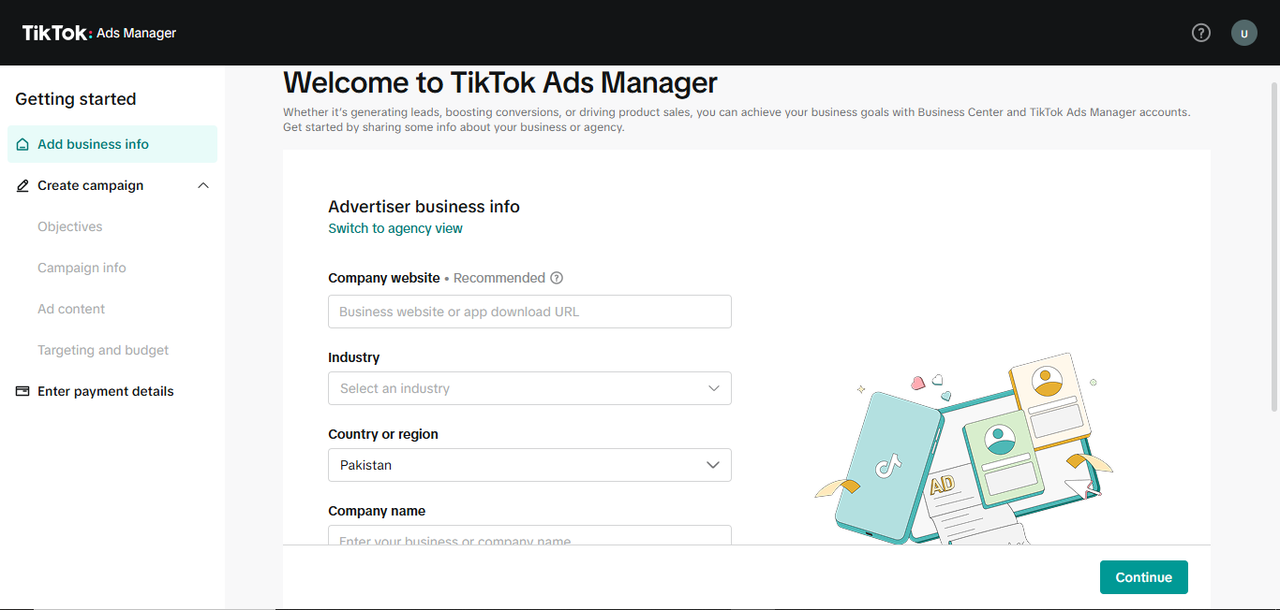
Skip Filling Information
Ignore the additional fields and simply proceed to the Dashboard.
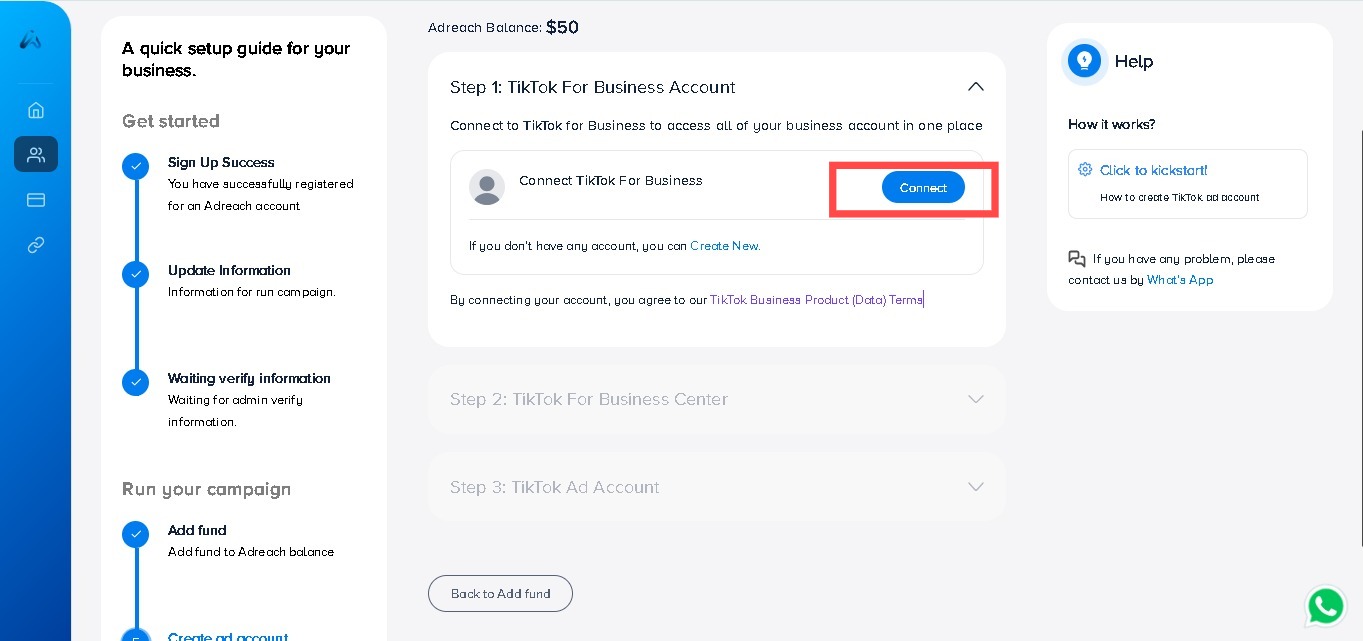
Click on “Connect”
After the Business Center is created, click on the “Connect” button to link your TikTok Business Account.
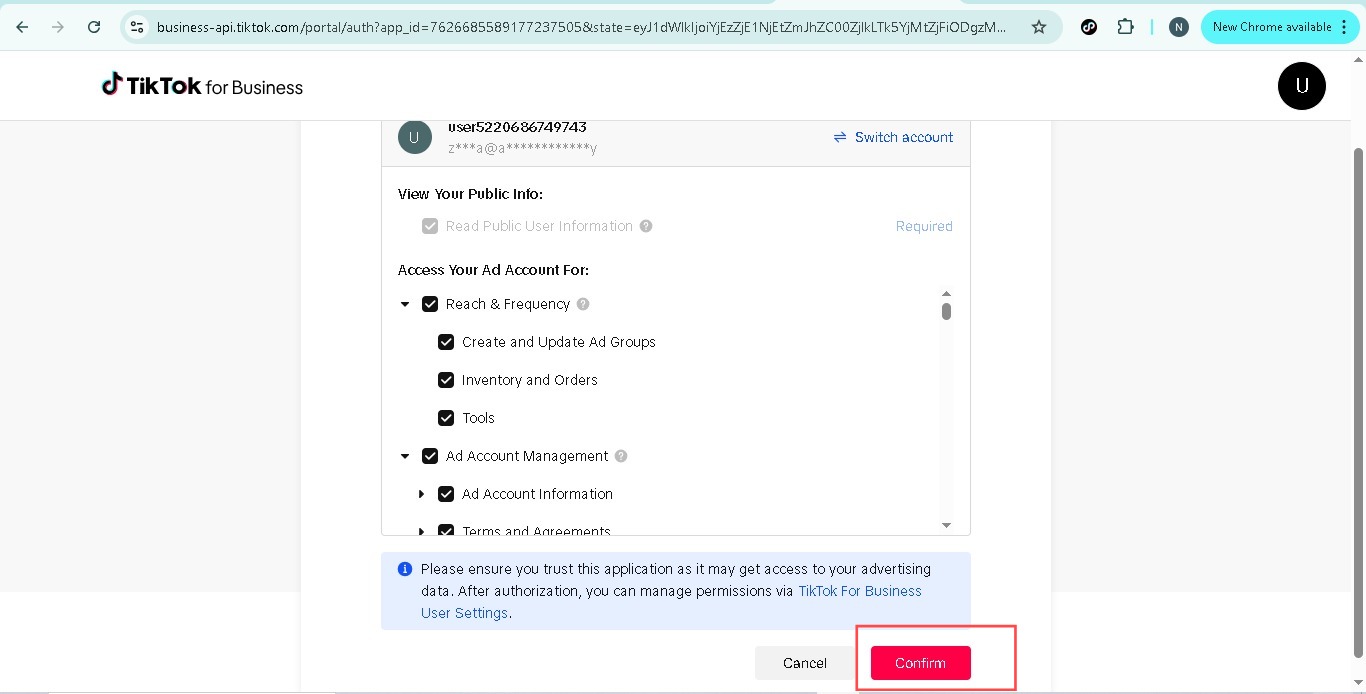
Grant Permissions
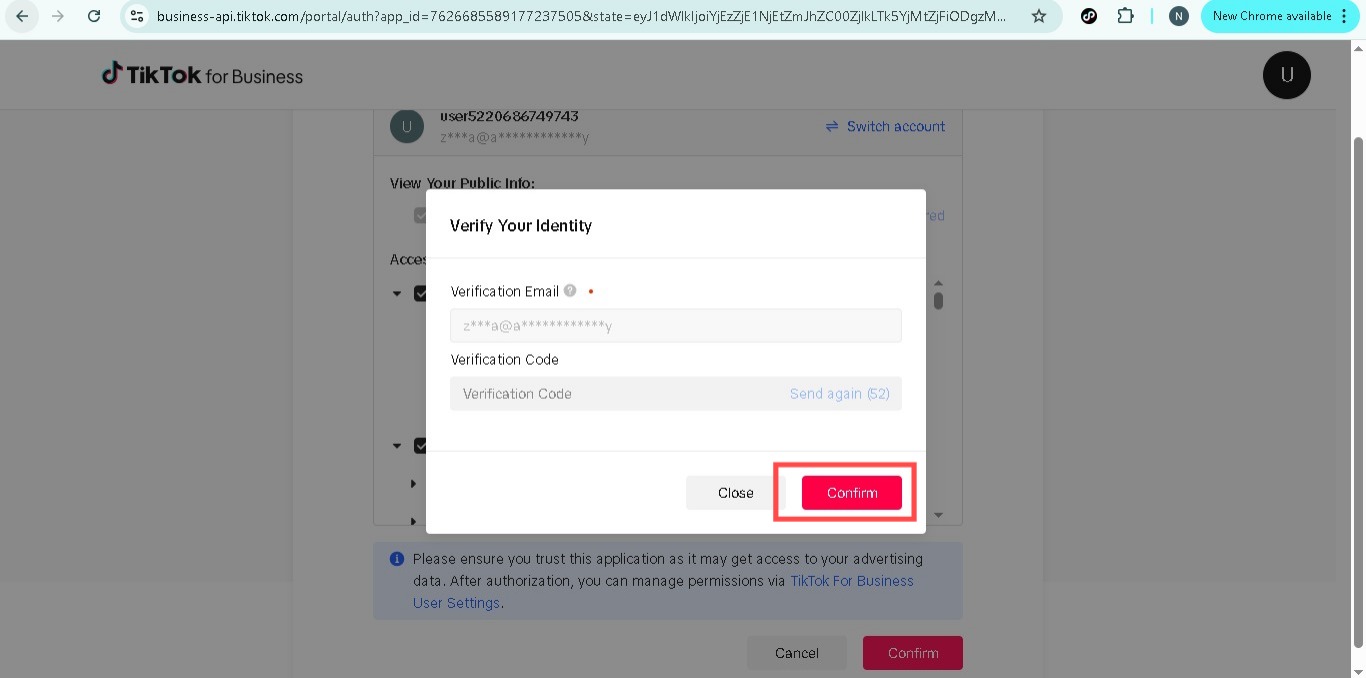
Agree to the permissions requested by TikTok and click “Confirm”. A 6-digit verification code will be sent to the email associated with your business account. Enter this code to verify your account.
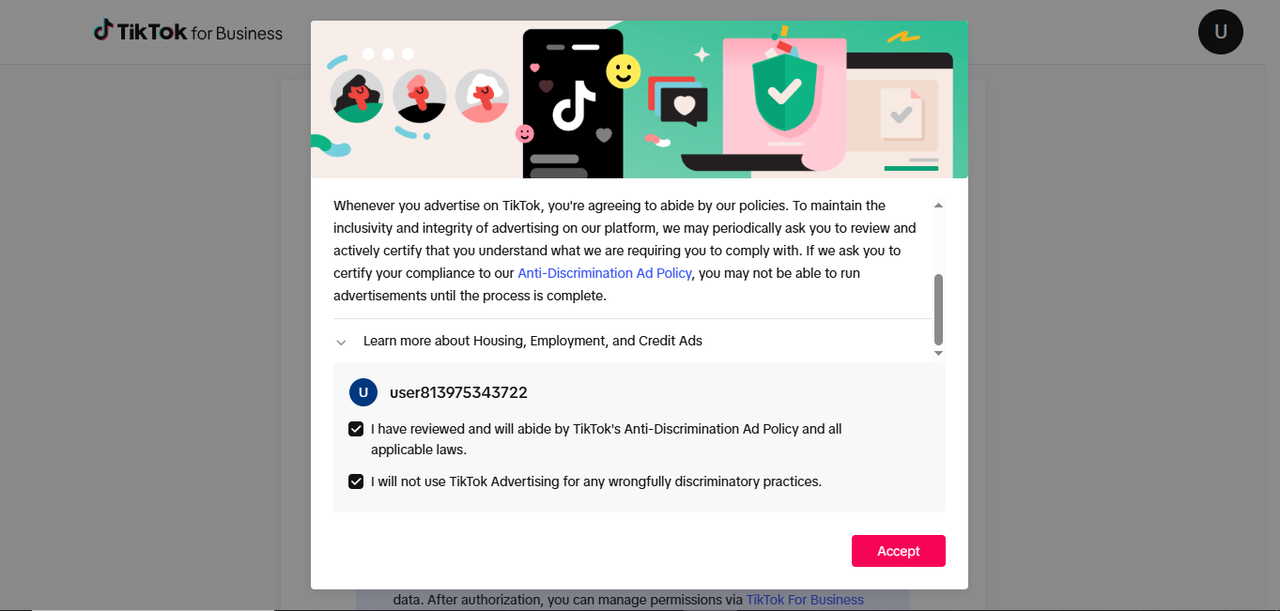
Review TikTok Policies
Make sure to review TikTok’s Advertising Policies.
Once you've understood, click “Accept” to proceed.
After clicking Accept, your Business Account will be created. You can now proceed to Step 2
Step 2: Create Your TikTok Business Center
Redirect to Adreach Dashboard
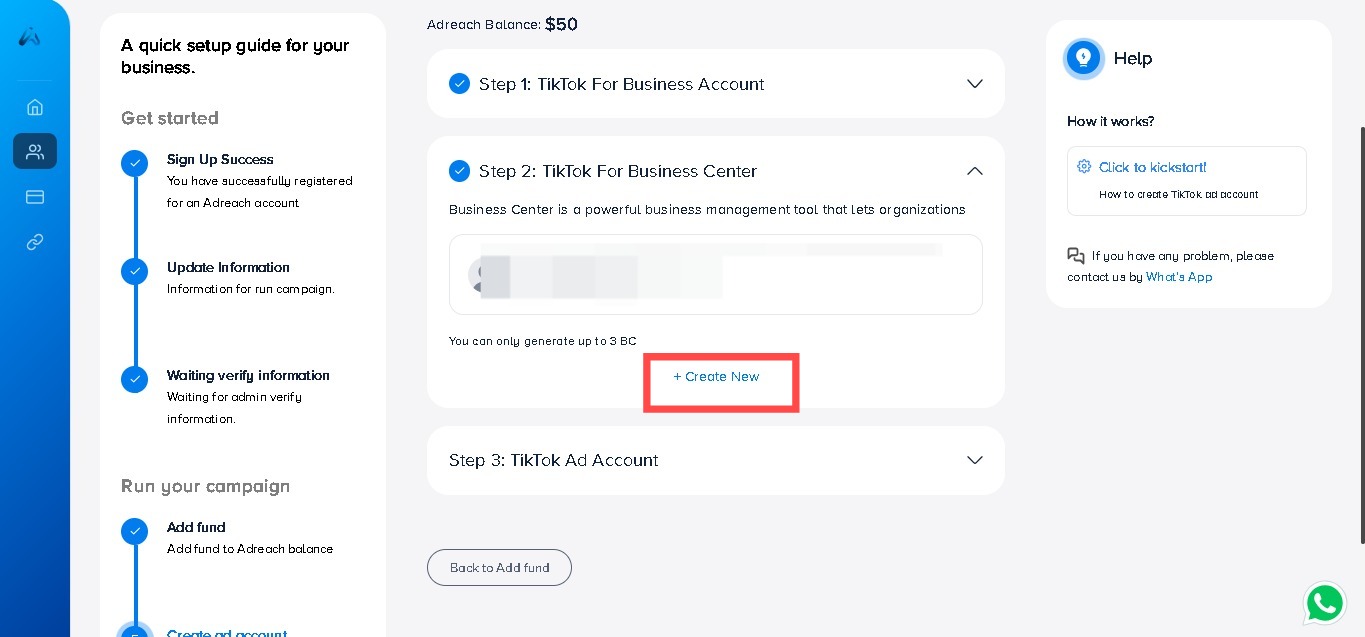
After completing Step 1, you will be redirected to the Adreach dashboard.
Click “Create New” to begin the Business Center creation process.
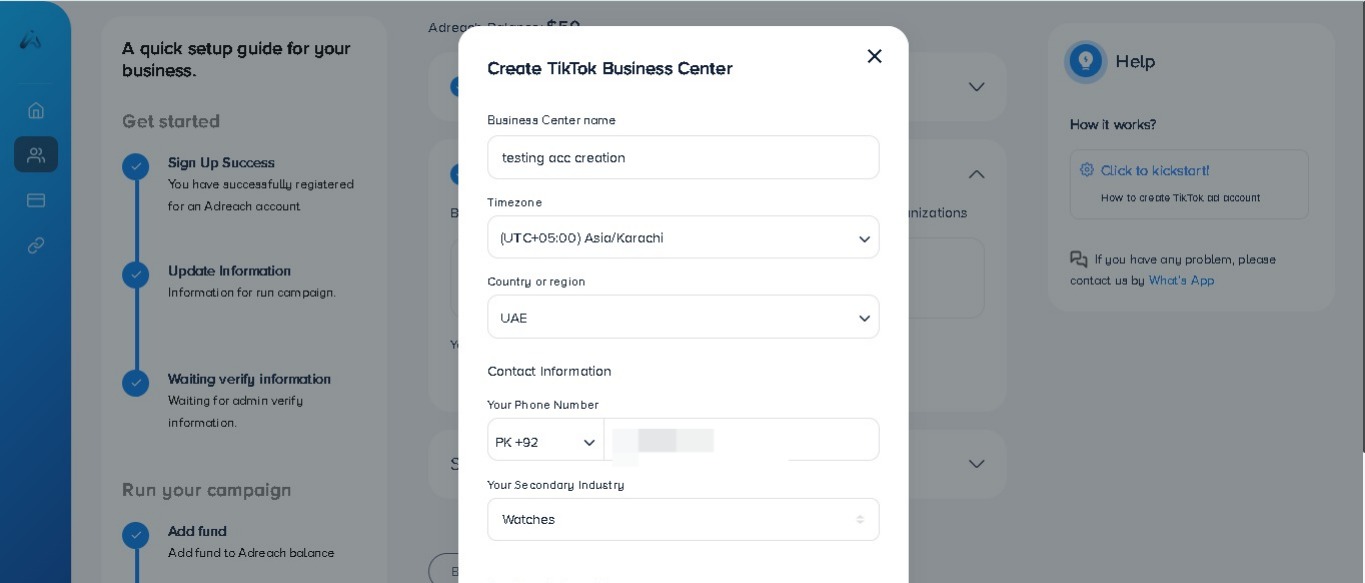
Enter Business Information
Fill out all the necessary fields:
Timezone
Business Center Name
Country/Region (If your desired country is not in the list (e.g., Pakistan), you may select any country, as it does not have an impact on your ad account creation.)
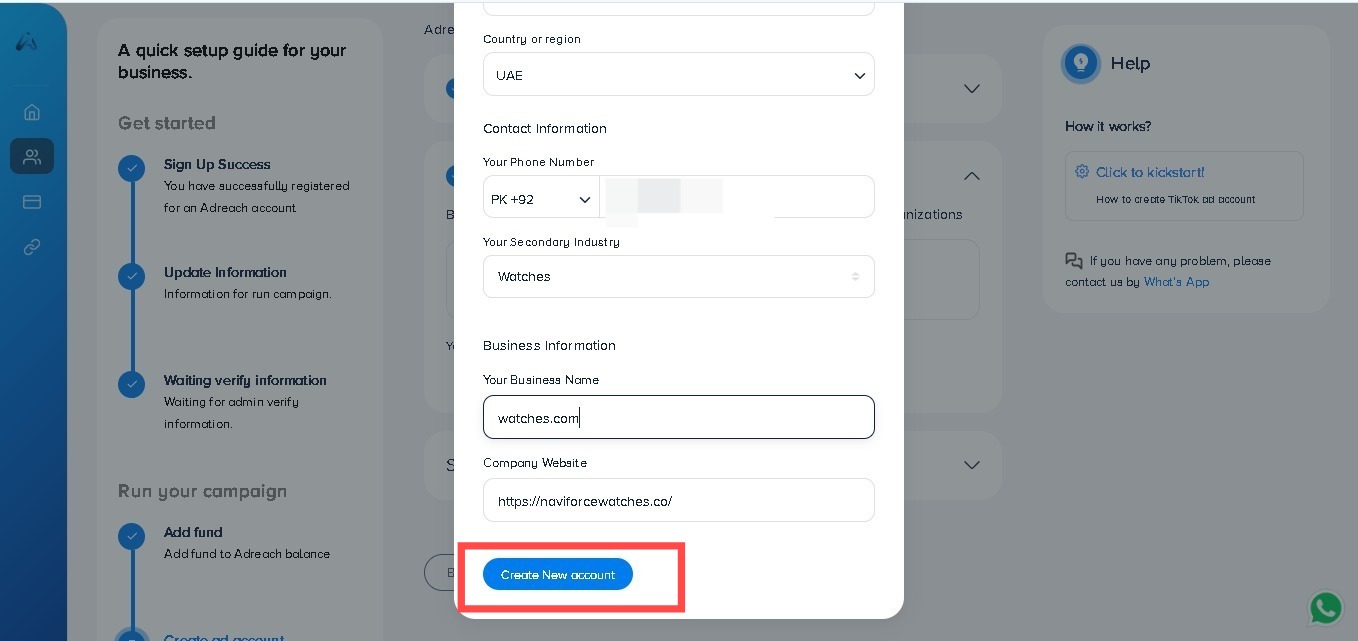
Contact Information (Ensure your phone number is correct)
Business Information (Such as website URL and Business Name) Once you've filled in the information, click “Create New Account”.
Your Business Center is successfully created. Now, you will proceed to Step 3.
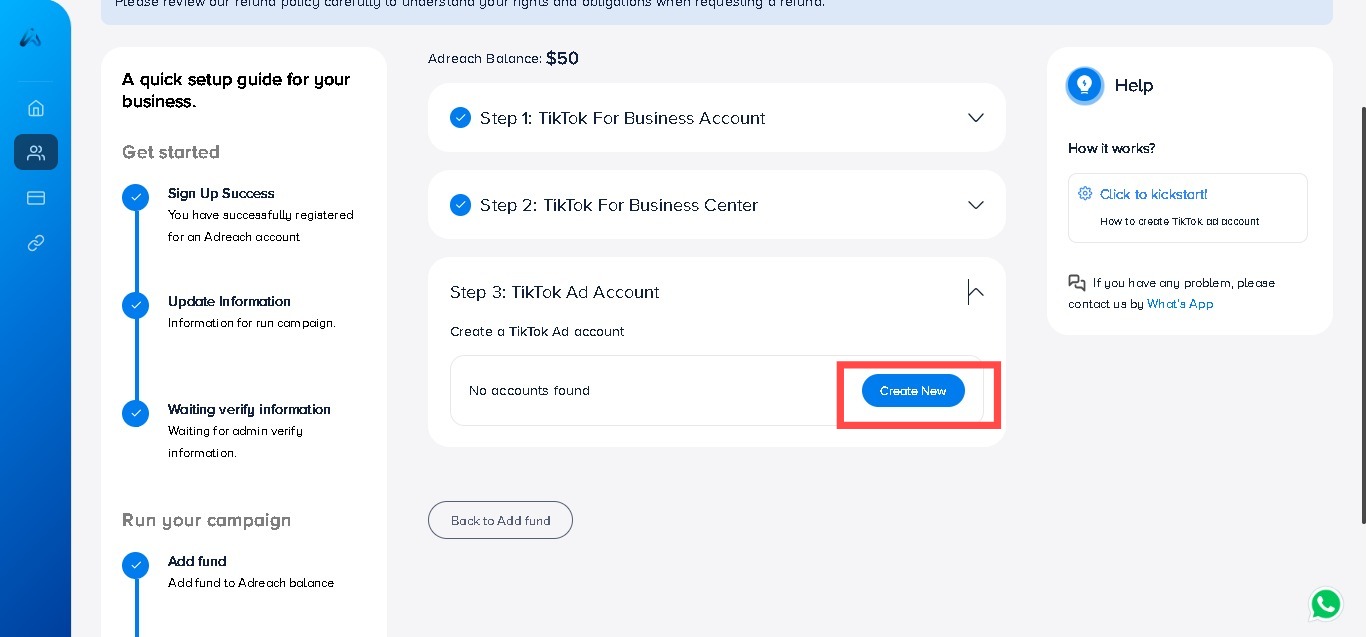
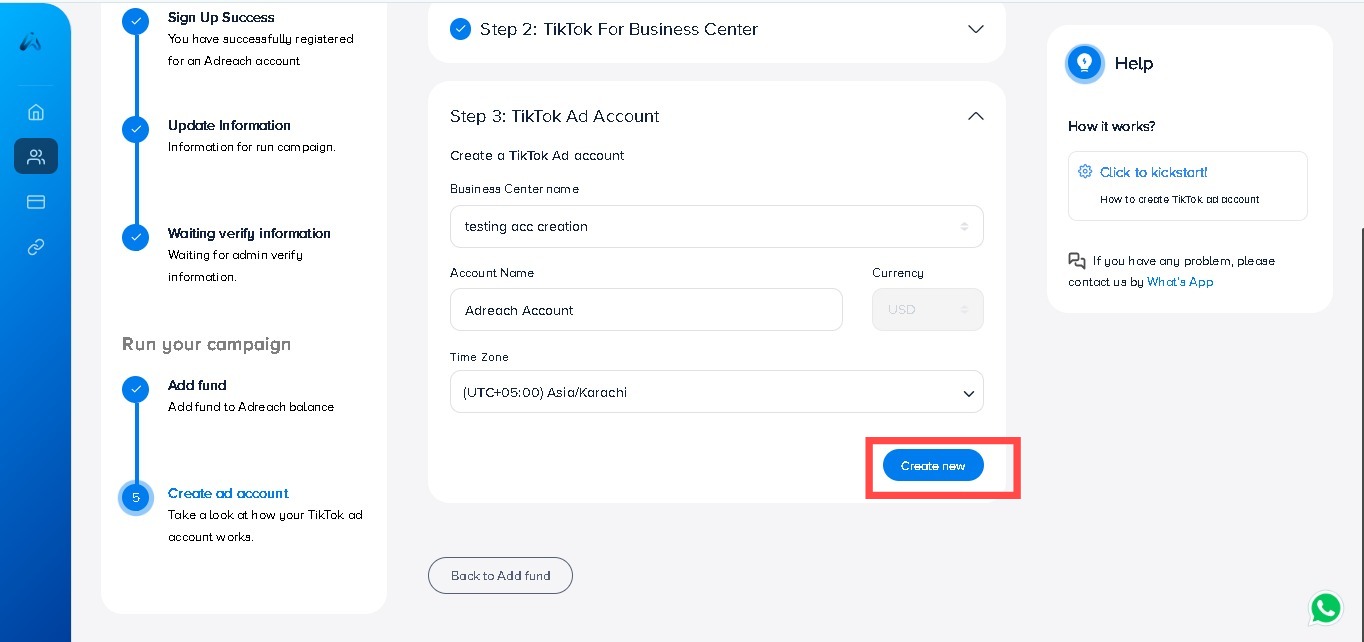
Step 3: Create Your TikTok Ad Account
Click “Create New” under Step 3: TikTok Ad Account.
Enter Business Center Name and Ad Account Details
Write your Business center name.
Name your TikTok Ad Account
Timezone: Select based on your target market
To complete your TikTok Ad Account creation, enter your details and then click “Create New.”
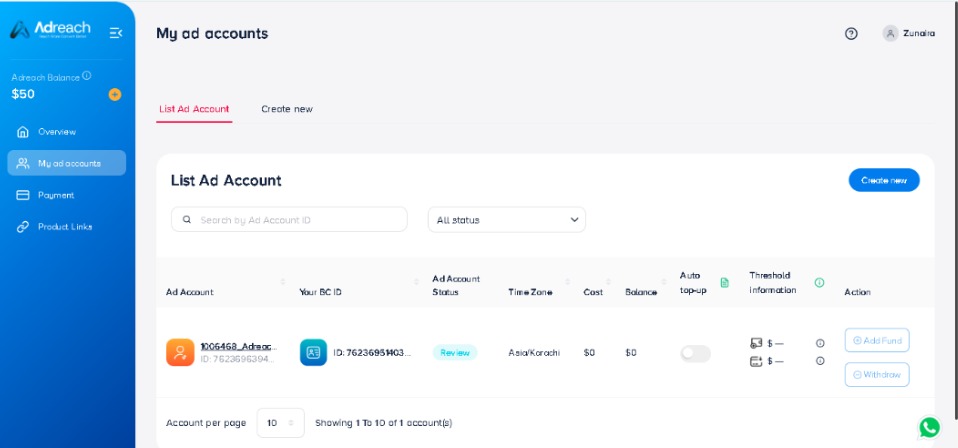
Ad Account Under Review
Congratulations! Your Ad Account has been created and is now under review by TikTok. Please note that it may take 3-6 hours for TikTok to review the account
Your TikTok Agency Ad Account is now successfully created and awaiting review. Once approved, you can start running campaigns and managing ads to grow your business.
If you need any assistance or have questions during the process, feel free to contact us at Live Chat, We’re here to help!


 +92-337-2499502