A D R E A C H . A G E N C Y

How to Topup with USDT

Adreach offers USDT (Tether) as a secure and convenient payment method for topping up your account. Simply choose USDT at checkout and complete the transfer from your crypto wallet to get started quickly. A 3% top-up fee applies to all USDT transactions.


Overview

USDT (Tether) is available as a convenient and secure payment option for topping up your account balance. A 3% top-up fee applies to all transactions.
This method allows you to add funds using a stable digital currency while ensuring fast and reliable processing.
Follow the step-by-step guide below to complete your top-up smoothly and securely.

Step 1: Choose USDT as Your Payment Method

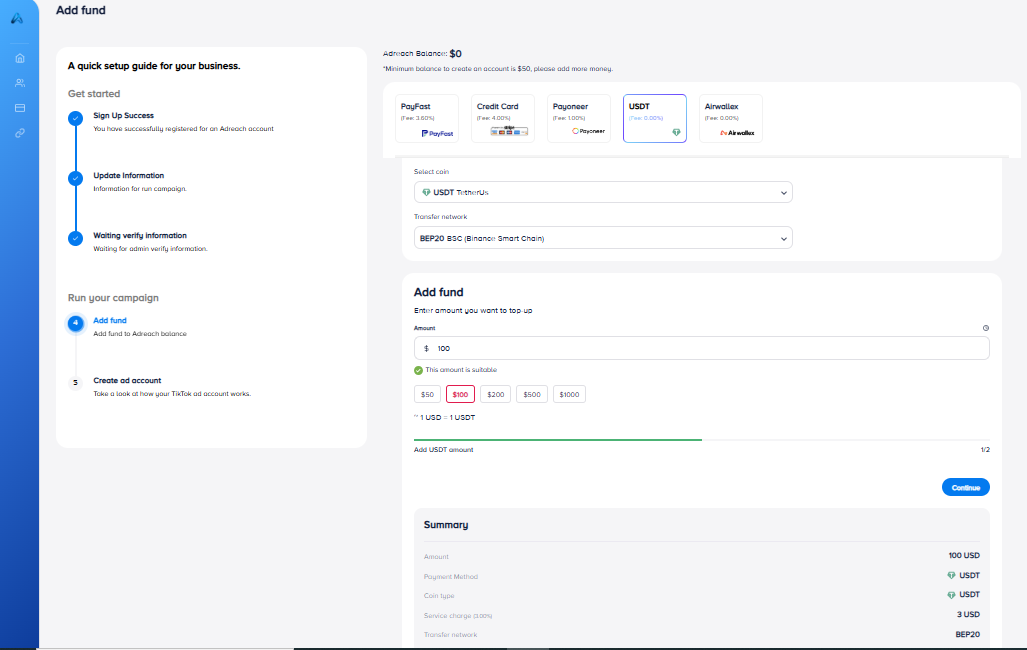
On the Top-Up page, select USDT as your preferred payment option.
Under Select Coin, choose USDT TetherUS.

Step 2: For Returning Users

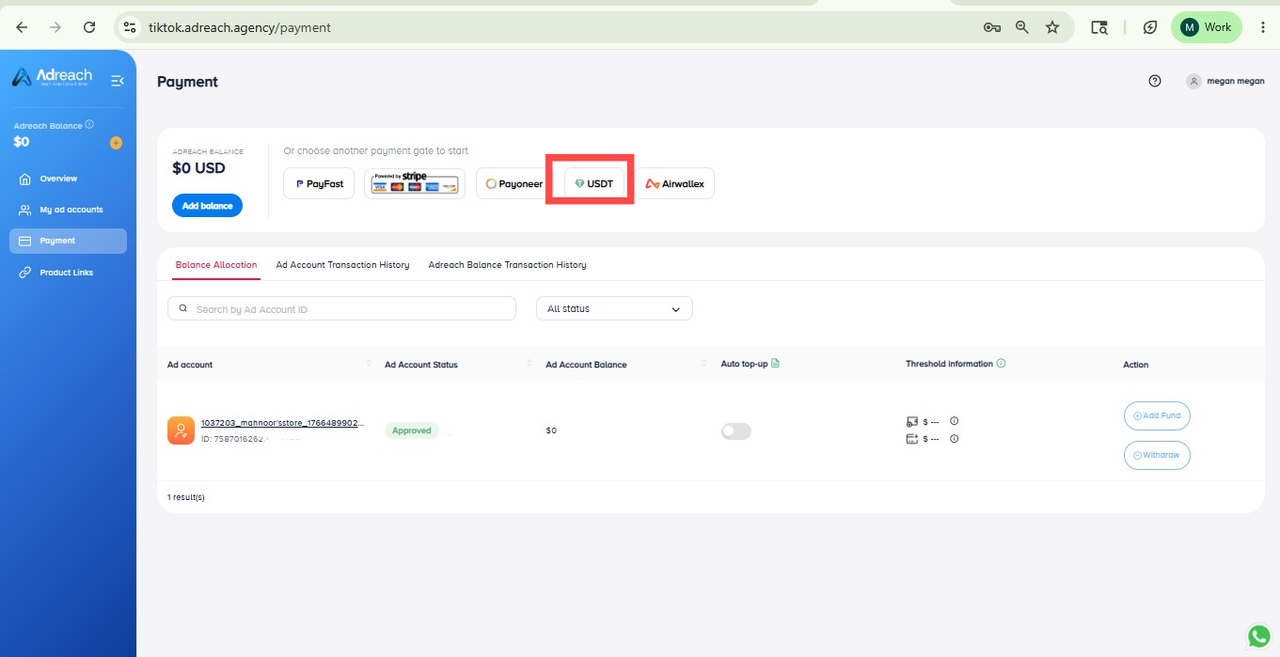
If this is your second or subsequent top-up and your left navigation bar is now accessible:
Go to Payment.
Choose USDT as the payment method.
Follow the same steps as outlined in this guide.

Step 3: Select Coin and Transfer Network

Under Select Coin, choose USDT TetherUS.
In the Transfer Network section, select the network you wish to use (e.g., TRC20, ERC20, or BEP20).
Ensure you transfer funds to the correct wallet address corresponding to the selected network.
Transferring to the wrong network may result in loss of funds.

Step 4: Enter the Top-Up Amount

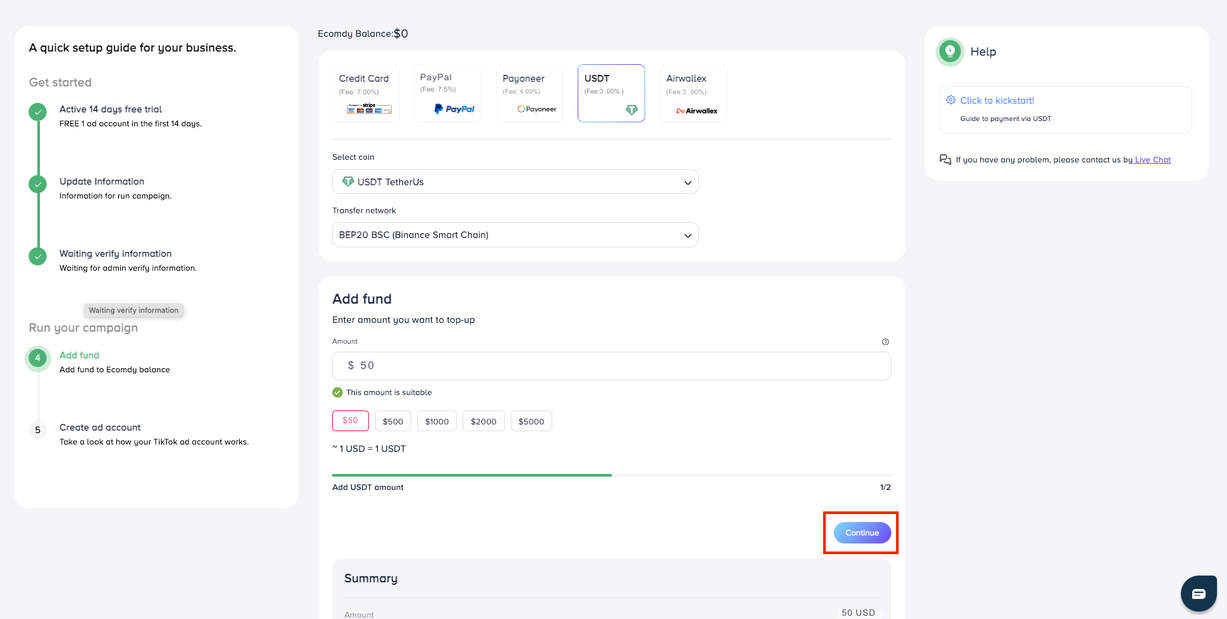
The minimum top-up amount is $50.
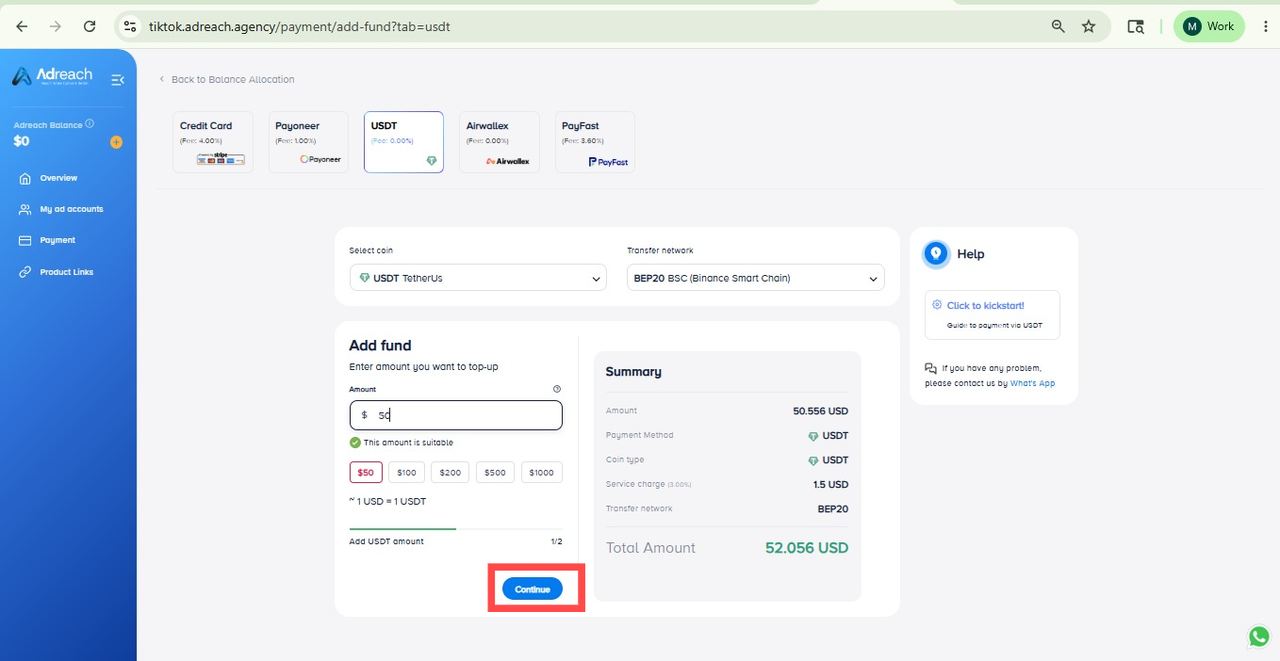
Click Continue.
Enter the amount you wish to top up.
The system will display the exact amount to transfer, including the applicable 3% fee

Step 5: Transfer Your USDT

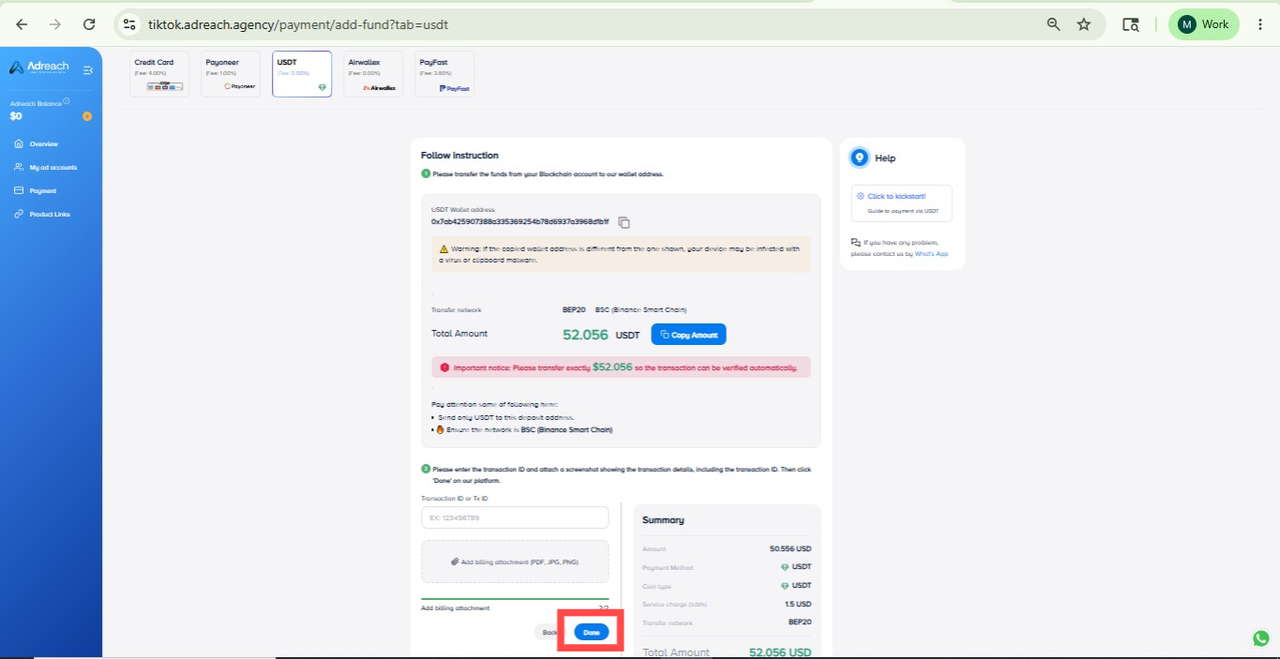
Send your USDT to the wallet address displayed on the screen.
Include your account name in the payment message to ensure proper verification.
Fill in the required details:
 
Once all details are entered, click Done.

Step 6: Confirmation and Processing

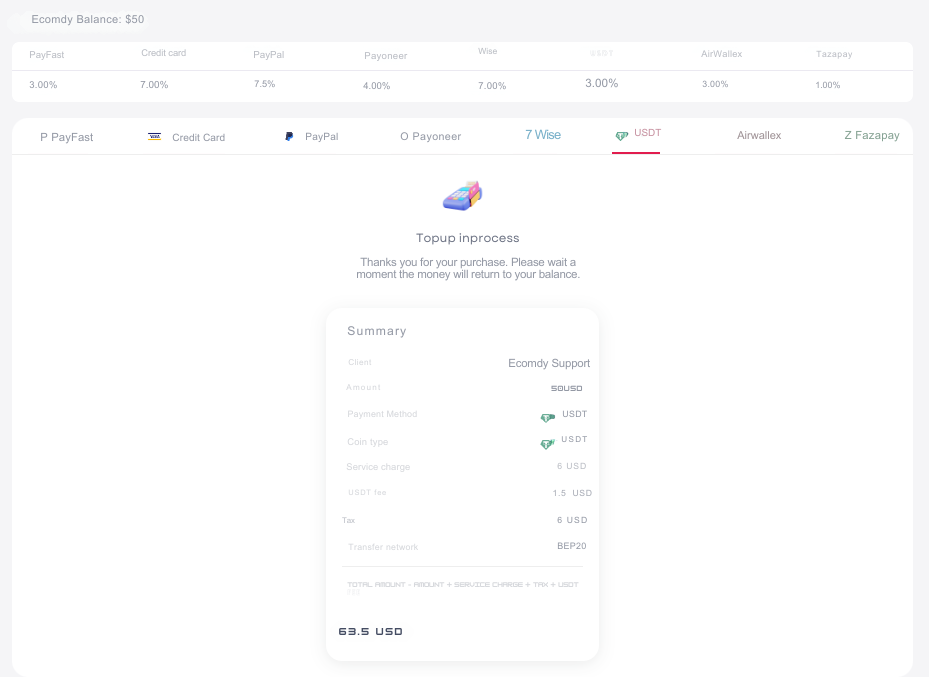
Your top-up request will now be in process.
Ensure that:
 
If all details are correct, the system will automatically approve your transaction.
If incorrect information is submitted, please reload the page and re-enter the correct details.

Completion

Once the transaction is approved, your Ecomdy wallet balance will be updated automatically.
You can now use your topped-up balance for transactions within the platform.

Need Assistance?

If you require any help during the top-up process, please contact our Support Team for immediate assistance.