A D R E A C H . A G E N C Y

How to Topup with Payoneer

Payoneer can be used as a secure payment method for topping up your account. The Topup fee is 4%. This option supports international payments and makes it easier to manage transactions globally. The instructions will guide you through the process in detail, ensuring a smooth and secure transaction.

Overview

Payoneer is available as a secure and convenient payment method for topping up your account. A 4% top-up fee applies to all Payoneer transactions.
This method supports international payments and allows you to manage your transactions globally with ease.
Follow the detailed steps below to complete your top-up safely and efficiently.


Step 1: Select Payoneer as Your Payment Method

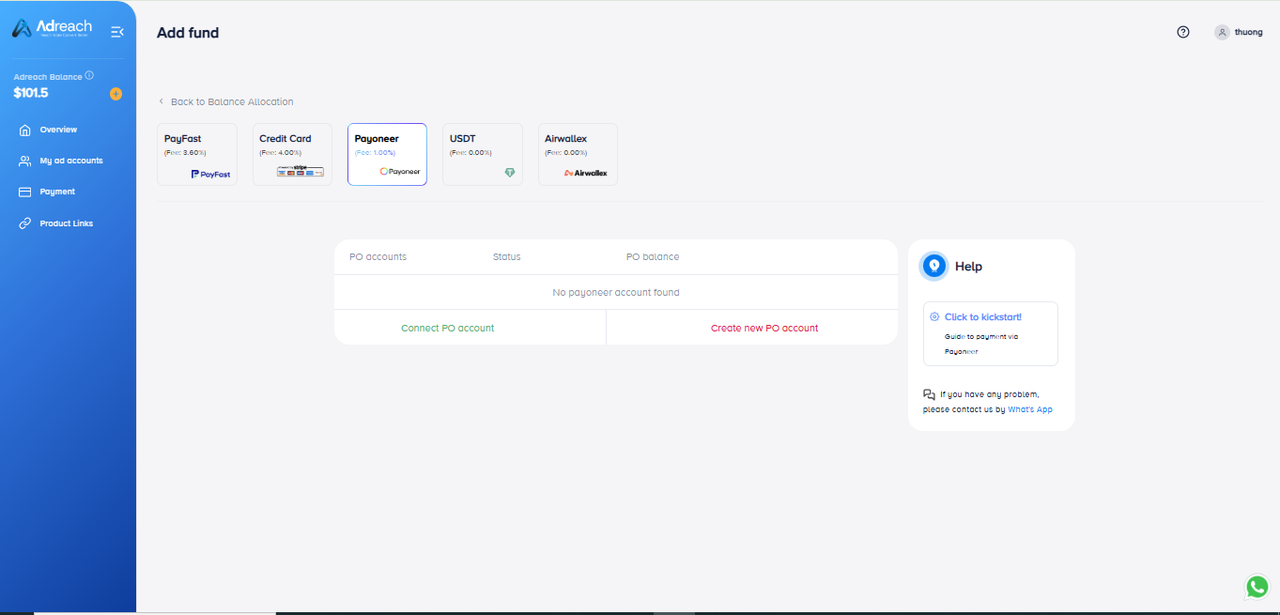
On the Top-Up page, choose Payoneer from the list of available payment methods.
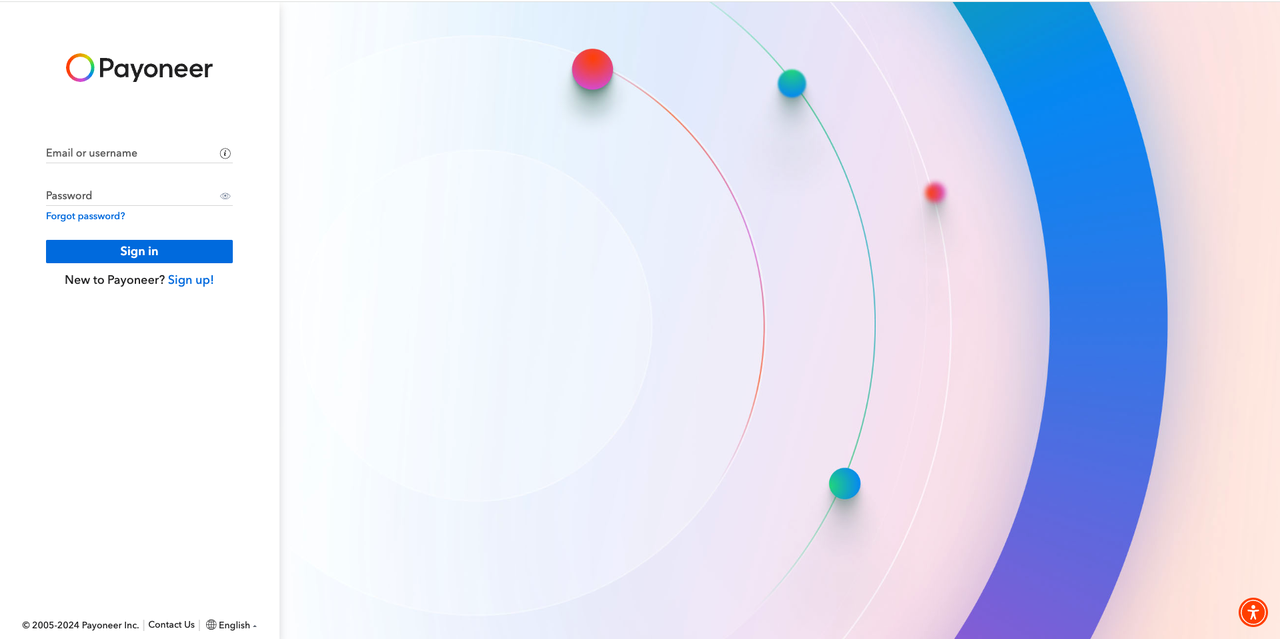
Click Connect Payoneer Account to begin the linking process.

Step 2: For Returning Users

If this is your second or subsequent top-up and your left navigation bar has been unblocked:
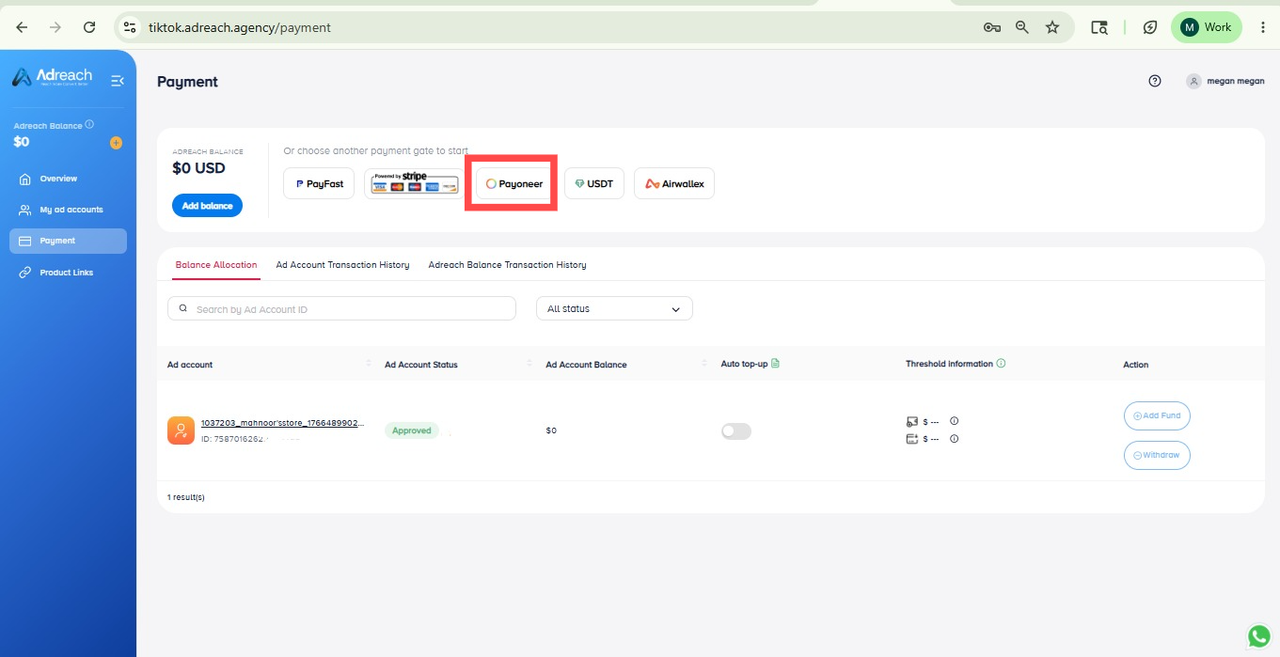
Navigate to Payment.
Select the Payoneer payment method.
Follow the same steps as outlined in this guide

Step 4: Grant Access to Your Payoneer Account

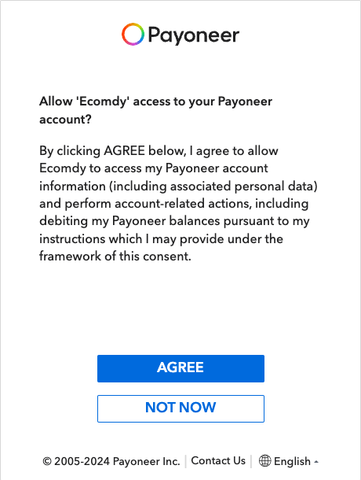
When prompted, review the permission request.
Click Agree to allow the platform to access your Payoneer account securely.

Step 5: Confirm Connection

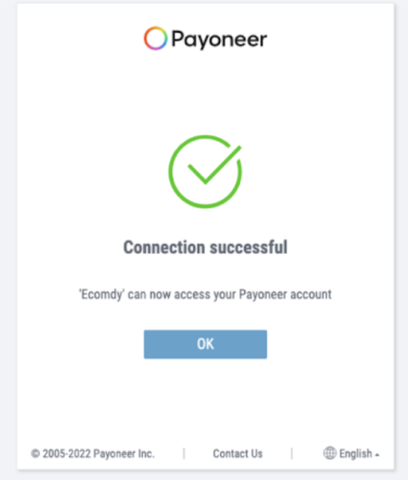
Once the connection is successful, you will see a confirmation interface indicating that your Payoneer account is now linked.
 
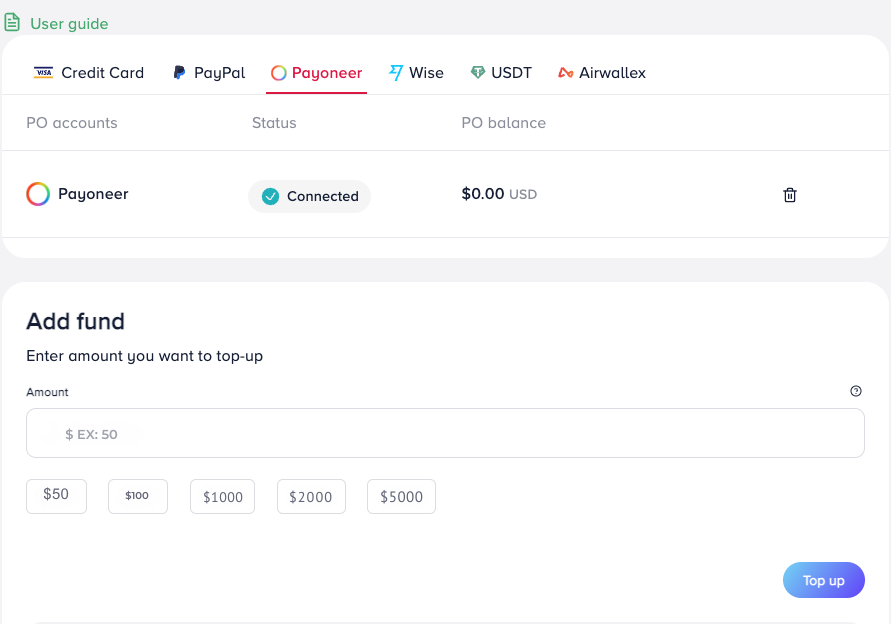
You are now ready to top up using your Payoneer balance. Enter the amount you wish to add to your account.
Click Add Fund to confirm the transaction.
 
The system will automatically process your payment and update your Ecomdy Wallet balance accordingly.

Completion

Your Payoneer top-up has been successfully completed.
Once the payment is confirmed, your updated balance will appear in your Ecomdy wallet.

Need Assistance?

If you experience any issues or require help during the top-up process, our Support Team is available to assist you.